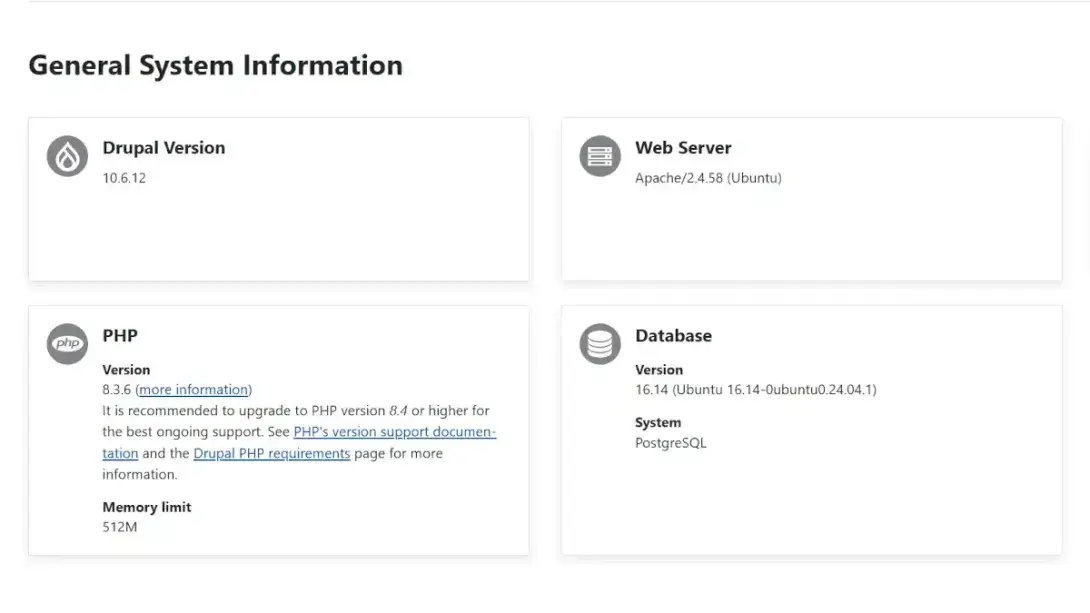
Environment Note: The behaviors, architectural decisions, and workarounds described in this article were documented during the development of KingChefs.com in a Drupal 10.6 / PHP 8.3 production environment.
When building the directory and database architecture for a B2B foodservice platform, choosing the right field schema is a critical task. In a high-volume directory, how you model status indicators directly impacts database performance, editorial workflows, and long-term site maintainability.
During early-stage development, an attempt to improve the editorial UI led to a routine permission adjustment triggering a validation lock in Drupal's administrative interface.
This case study reviews how a simple UI preference evolved into a deeper engineering discussion, analyzes a specific Form API edge case, and outlines the content modeling decision framework—and trade-offs—we established for Drupal field schemas.
Act I: The UI Challenge and the Naive Schema Swap
Our content model required fields to track straightforward binary attributes, such as whether a business profile has been claimed (field_business_claimed_status), whether a provider serves the entire state (field_is_service_statewide), or if a location serves as the primary business address (field_is_primary_location).
From a database perspective, a native Boolean field is the standard schema for these attributes. However, Drupal's default form display renders Boolean fields using the "Single on/off checkbox" widget, which appears as just a bare checkbox:

While functionally correct, a bare checkbox can introduce ambiguity in high-volume editorial workflows. An empty checkbox does not explicitly communicate a definitive "No" or "Local-only"; it simply looks unselected, which can lead to data entry hesitation.
To make matters worse, the layout breaks visual consistency. Unlike standard input fields where the label sits cleanly at the top, the Boolean widget completely reverses the hierarchy: the help text floats awkwardly above, while the mandatory label gets shoved to the right of the checkbox. To our end users and editors, the form simply looked disjointed and unprofessional.
To enforce an explicit choice and fix the UI layout, I made a classic engineering mistake: I let a frontend presentation preference dictate the backend storage schema. I deleted the Boolean field and replaced it with a List (integer) field to generate custom radio buttons.
Since "Primary Location" is the affirmative state we want editors to focus on, I ordered the allowed values like this:
1 | Primary Location
0 | Additional Location
It looked great on the form. Editors now had to make a conscious, binary choice with clear labels, and the layout was perfectly aligned with the rest of the form.
I tested saving the field settings, adjusting permissions, and updating the help text. Everything worked flawlessly. Drupal didn't throw a single error. I patted myself on the back for a clever workaround and moved on.
What I didn't realize was that the order of those two lines had just saved me by pure luck.
The form happened to validate successfully due to how the initial row was processed in the Form API submission pipeline. This gave me a false sense of security. I had no idea I had just planted a latent architectural flaw in my database—one that would trigger a subtle but paralyzing edge-case bug a few days later when I applied the exact same "clever workaround" to a different status field.
This incident revealed a profound lesson: even seemingly cosmetic ordering decisions in configuration UIs can have non-obvious implications in underlying state validation systems.
Act II: The "Value Field is Required" Deadlock
The consequences of that schema swap surfaced a few days later when configuring a multi-state verification status field (field_verification_status), which utilized a similar List (integer) structure starting at 0 (0|Unverified Business).
While attempting to update the Field Permissions at the bottom of the field edit page—without altering the allowed values list—the admin form failed to save, throwing a validation error:
Value field is requiredon the0row.
Simultaneously, the first option in the Allowed Values list was locked with the warning:
Cannot be removed: option in use.
I was locked out of saving any configuration changes on that field.
Act III: Debugging the Validation Edge Case
During the debugging process, I noticed a localized detail on the admin form: the validation error only occurred because the 0 key resided on Row 1 of the allowed values list.
Drupal's Form API programmatically marks the first row of an allowed values form as required (#required => TRUE), indicated by a red asterisk (*). Because existing test data in our database used the 0 value, Drupal accordingly disabled the 0 input on Row 1 to protect data integrity.
This deadlock arises from a combination of PHP’s loose typing behavior and Drupal Form API’s validation normalization. When the disabled input omits the 0 payload during form submission, the validator's internal empty-check mechanisms interpret the fallback or missing value as truly empty, triggering the required field error.
This specific edge case is a known issue in the Drupal core queue (see #3534125).
Since my local database already had active test data and I didn't want to resort to truncating database tables, I bypassed this validation lock during debugging. I inspected the DOM, right-clicked the disabled 0 input field, and manually stripped the disabled="disabled" attribute from the <input> element using Chrome DevTools. Once the input became active, I clicked "Save settings". The browser successfully bundled the 0 value in the form payload, the validator passed, and the form submission completed successfully without requiring any database-level changes.
This successful bypass confirmed that the issue was not related to backend configuration corruption, but to how client-side form serialization interacts with Drupal’s Form API validation pipeline. It also highlighted how Drupal’s Form API validation layer relies heavily on HTML form semantics, which can surface edge cases when browser-level attributes affect the submitted payload structure. This is a reminder that even minor UI-level attributes like disabled inputs can have non-obvious effects on server-side validation logic in stateful form systems.
Act IV: Schema vs. Widget (Defending the Boolean)
This validation lock forced me to reconsider my initial schema swap and confront a fundamental rule of content modeling:
Data storage defines system state. Form widgets only define how that state is presented to humans.
I realized I should never have abandoned the Boolean field for field_is_primary_location. For simple yes/no questions, a Boolean is generally the most appropriate database schema. The initial UI limitation was not a database-level issue, but a presentation-layer constraint.
Instead of changing the database schema to get radio buttons, Drupal allows native Boolean fields to be rendered as standard radio buttons via the "Manage Form Display" administration settings. By simply changing the widget from "Single on/off checkbox" to "Checkboxes/Radio buttons", I preserved the mathematically pure Boolean (0 or 1) in the database while successfully rendering explicit, custom-labeled "Yes" and "No" options for our editors.

The layout is now consistent with Drupal’s standard form structure: label, description, and input controls clearly separated in a predictable hierarchy.
The initial mistake was not technical—it was treating a UX limitation as a schema problem. This incident serves as a reminder that decoupling data modeling from presentation is critical to maintaining a clean, predictable, and schema-consistent data model. This is a common anti-pattern in early-stage Drupal development: confusing form rendering constraints with schema design requirements.
Act V: Semantic States and Engineering Trade-offs
While Boolean is perfect for binary choices, it could not support our 5-state field_verification_status. However, List (integer) was proving brittle due to the 0 edge case.
Rather than relying on magic numbers (0, 1, 2... or sparse coding like 10, 20, 30...), we pivoted the verification field to a List (text) utilizing semantic string keys:
unverified | Unverified Business
pending    | Pending Verification
in_review  | In Review
verified   | Verified by KingChefs
expired    | Verification Expired
The Field Schema Decision Matrix
In engineering, there is rarely an absolute "Gold Standard"—only trade-offs. Based on this implementation, here is the decision matrix we adopted for Drupal content modeling:
1. Boolean Fields
- When to use: For strict binary flags (
is_claimed,is_active,is_statewide). Do not abandon Booleans just because of a UI issue; change the form widget instead. - Trade-offs: Highly efficient indexing, but fundamentally incapable of scaling if a third state (e.g., "Pending") is ever required in the future.
2. List (integer)
- When to use: For ranked, numerical, or weighted state systems where values require mathematical sorting or range queries in SQL (e.g., priority weights or severity levels).
- Trade-offs: Excellent for numeric comparisons, but introduces "magic numbers" into your codebase. You must actively avoid using
0as an allowed key to bypass the Form API validation bug.
3. List (text)
- When to use: Widely used pattern for readable workflow systems, status lifecycles, and categorizations—highly similar to Drupal core’s
Content Moderationstate machine approach. - Trade-offs: Yields significant improvements in code readability (e.g.,
{% if status.value == 'verified' %}), and descriptive strings avoid PHP empty-check traps. - When NOT to use List (text): It is not recommended for heavy analytics workloads, large-scale sorting, or high-frequency numeric indexing. If your queries rely on frequent aggregations (
> / < / BETWEEN), native integers offer superior database performance.
Conclusion
Building a scalable directory requires anticipating how data will be stored, edited, and queried. By separating the visual presentation (Form Widgets) from the underlying data integrity (Field Schema), we established a content model that is fast, maintainable, and stable.
Let your schema define the truth, let your widgets handle the UX, and always weigh your data type decisions against your specific business logic and future query workloads.
Frequently Asked Questions (FAQ)
What is the best field type for status fields in Drupal?
For multi-state workflows or status tracking, List (text) is the best choice. It provides human-readable, self-documenting keys, is highly compatible with APIs, and avoids the common validation bugs associated with numeric zero values.
Why does Drupal throw the "Value field is required" error on list settings?
This error is caused by a Drupal core bug. When a List (integer) field is in use, Drupal disables the inputs on the settings page to protect data. Because the browser does not submit disabled fields, the Form API validator treats the missing 0 key as empty (since empty(0) evaluates to true in PHP), causing the required validation check to fail.
Can Drupal Boolean fields be rendered as radio buttons?
Yes. You do not need to change your database schema to get radio buttons. You can keep the clean Boolean field type in your database and simply change the form widget from "Single on/off checkbox" to "Checkboxes/Radio buttons" in your content type's Manage Form Display settings.
Should I use List (text) or List (integer) in Drupal?
Use List (text) for categorical classifications and administrative workflows where human readability is paramount. Use List (integer) only when you need to perform mathematical calculations, range filtering (e.g., greater than or less than), or weighted sorting in your database queries.